What you can do
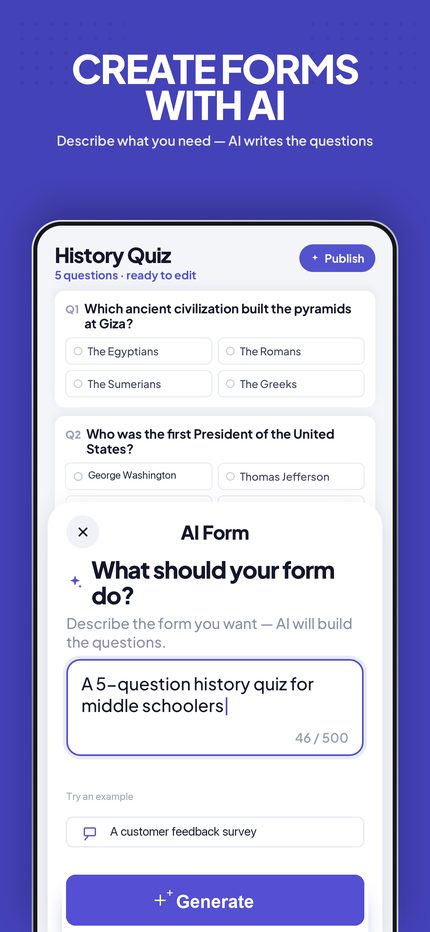
Build with AI
Describe what you need and AI Forms for Google Docs generates the questions. Or import from a photo, PDF, or link.
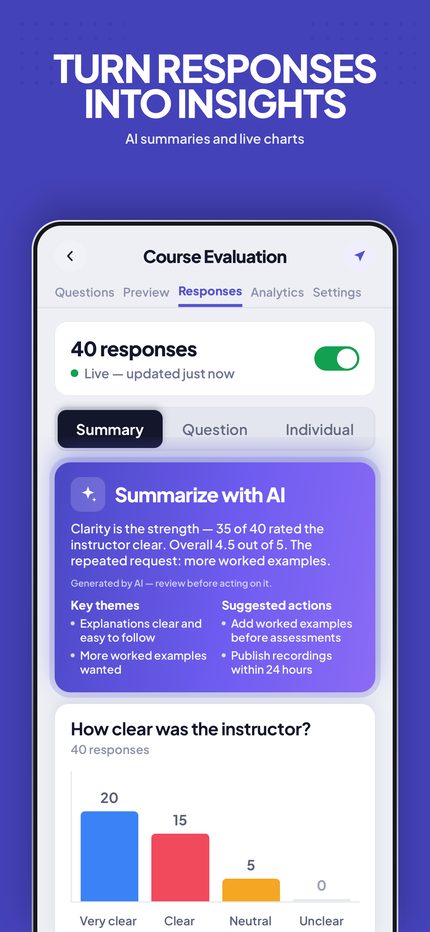
Response insights
See responses summarized with charts, and export them to Sheets, Slides, or PDF.
Schedule & limit
Automatically open or close a form on a schedule, or after a set number of responses.
New-response alerts
Get notified the moment your form receives a new response.
Themes & templates
Start from ready-made templates and customize colors and styling.
Private by design
Your forms stay in your Google account. The app talks to Google's APIs directly from your device.
Import anything
Turn a photo, PDF, document or link into a working form. Point the camera at a paper worksheet and it becomes a Google Form.
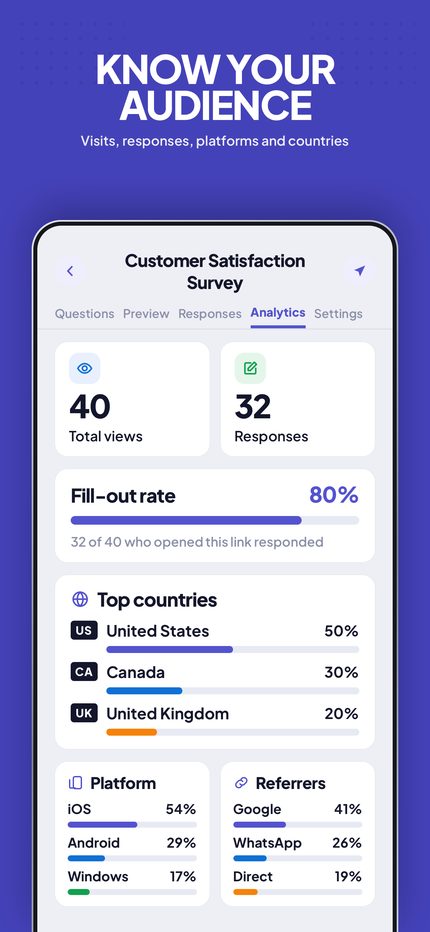
Short links with analytics
Share a tidy gformsapps.app link instead of a long Google URL, and see where opens come from — country, device and referrer.
Timed forms
Give respondents a countdown. The clock is kept on the server, so reloading the page doesn't buy anyone extra time.
Access codes
Put a code on a link. The form isn't shown — or even revealed in the page — until the right code is entered.
Export & summarise
Send responses to Sheets, build a summary deck in Slides, or export a PDF. AI can summarise long answers for you.
Why people use it
Teachers
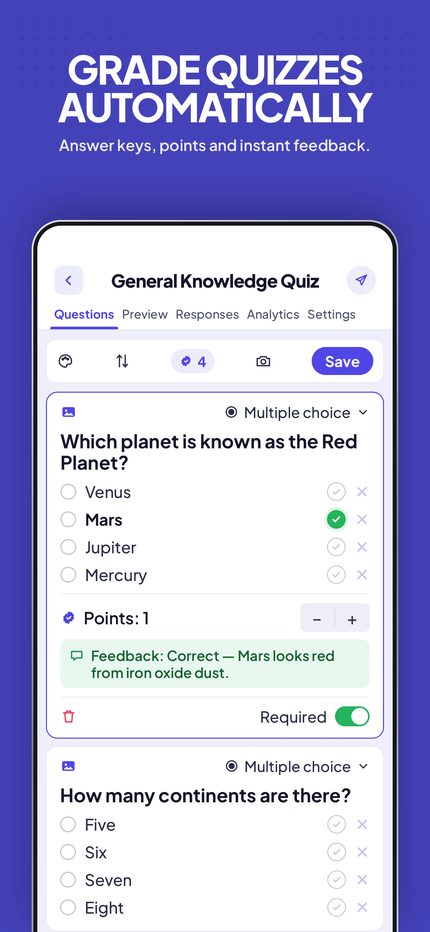
Set a timed form, cap responses, and get an alert the moment work comes in.
Event organisers
Open registration on a schedule, close it automatically at capacity, and share one short link.
Anyone away from a laptop
Build and fix forms from a phone — the thing Google Forms itself doesn't do well on mobile.
Guides
Straight answers about what Google Forms can and cannot do — see all guides.
Can Google Forms detect cheating?
No — Google Forms records answers and a timestamp, nothing else. It cannot see tab switches, copied text or a second device. Here is what can be detected, and by what.
Does Google Forms detect tab switching?
No. Google Forms has no tab-switch detection at all. Here is why the page cannot see it, what add-ons do instead, and how reliable that is.
Are Google Forms anonymous?
Usually yes to the form owner, but not to Google. What the owner can see, what Google logs regardless, and how to make a form genuinely anonymous.
Alternatives for adding a timer to a Google Form
Google Forms has no built-in timer. A comparison of the practical options — Workspace add-ons, Apps Script, and a timed link — and which fits which job.
How to stop someone submitting a Google Form twice
Google Forms can limit one response per person, but only by forcing a sign-in. Here is what that costs, and what to do when respondents have no Google account.
How to proctor a Google Forms quiz
Google Forms cannot tell whether a student switched tabs or pasted an answer. Here is what browser-based proctoring can and cannot detect, and how to read the results.
How to edit Google Forms on an iPhone
Google has never released a Forms app for iOS. Here is what the mobile web version can and cannot do, and the alternatives.
How to add a timer to a Google Form
Google Forms has no built-in timer. Here are the two ways to put a countdown on a form or quiz — a Workspace add-on, or a timed link from your phone.
How to limit responses on a Google Form
Since January 2026 Google Forms can close itself after a set number of responses — the setting is off by default. Here is where it is, and what it still cannot do.
How it works
AI Forms for Google Docs is a native iOS client for Google Forms. You sign in with your Google account, and the app uses Google's official APIs to create and manage your forms on your behalf. Your forms and their responses are never stored on our servers.